

Simple in-cab monitoring for better small square bales.
The BestBale Lite Series gives operators the information they need to bale more consistently without adding automatic control. Monitor baler speed, strokes per bale, bale count, optional true flake count, optional moisture, and optional bale weight from one clean 4.3" display in the cab.
What comes with the Lite Series?
The base Lite kit is built around a 4.3" in-cab screen, a cab-to-baler harness system, a stroke counter, and a bale counter. It gives you real-time monitoring without adding automatic control to the baler.

Start with the monitor, harness, and core sensors.
The Lite Series is built for operators who want better information from the baler without adding automatic density control. The system brings key baling data into the tractor cab so the operator can make better manual decisions while baling.
- 4.3" display in the tractor cab
- Cab and baler harness with quick connector
- Stroke counter for baler speed and stroke information
- Bale counter for production tracking
4.3" Display
A compact screen in the cab that shows the operator key baling information in one easy place.
Cab + Baler Harness
Includes wiring for the tractor cab and baler, with a quick connector between them for easier hookup and unhitching.
Stroke Counter
Works from the plunger arm to monitor baler speed and stroke information.
Bale Counter
Tracks bale production so you can keep a better count of field output and daily production.
Each part of the Lite Series has a clear job.
The Lite Series is meant to be simple. The display shows the information, and each sensor adds a specific piece of data to help the operator make better baling decisions.
4.3" in-cab display
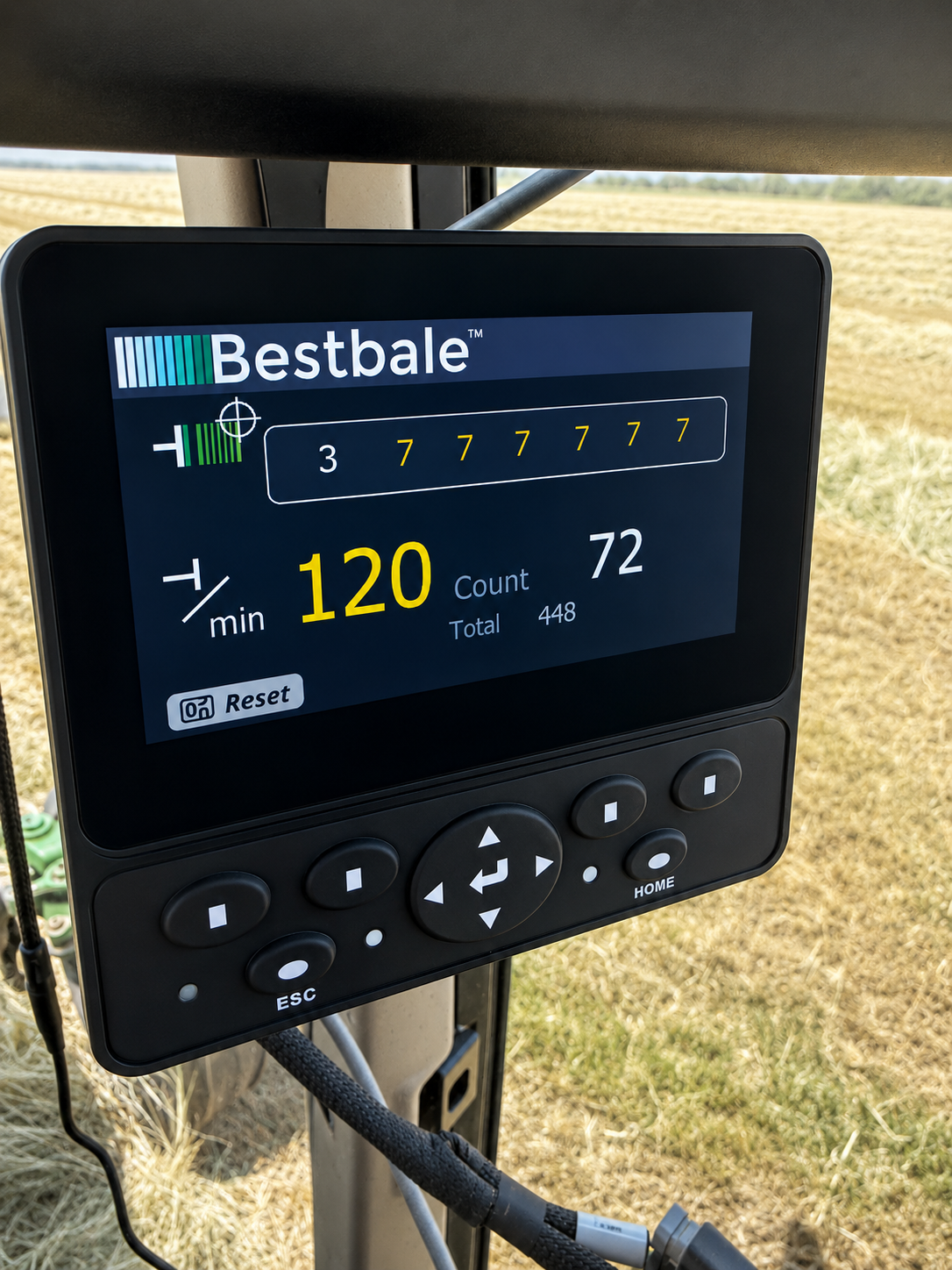
The 4.3" screen is the center of the Lite Series. It gives the operator a simple place to view baler information from the tractor seat. With the base kit, the display focuses on the core information most operators want first: baler speed, strokes per bale, and bale count.
- Easy-to-read in-cab monitoring
- Shows base kit information clearly
- Keeps important baler data in front of the operator
Stroke counter
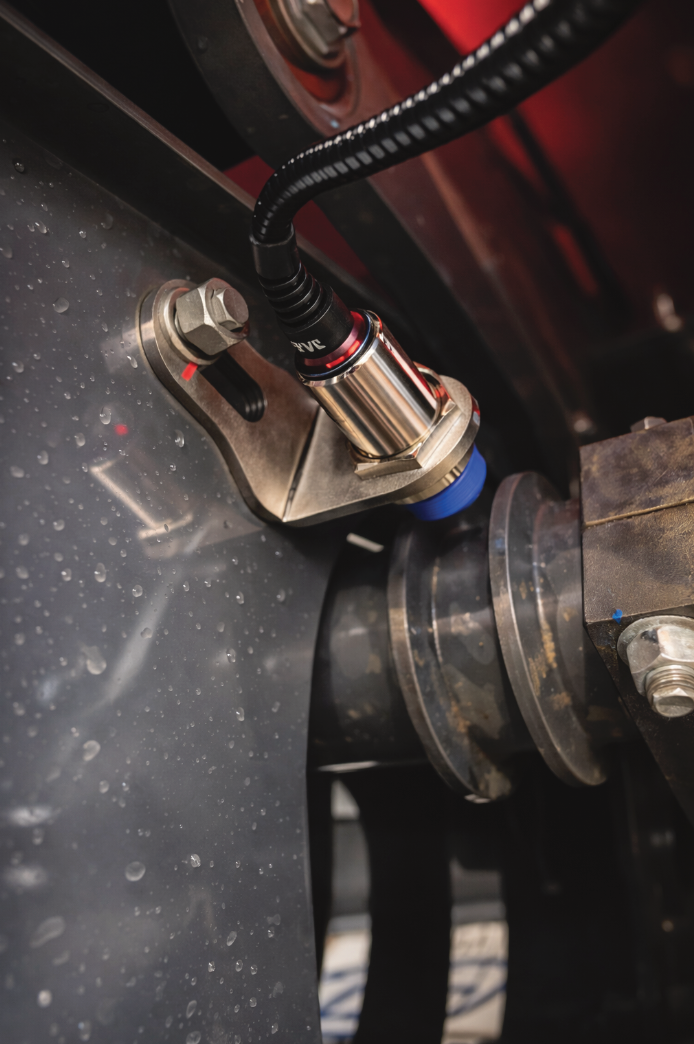
The stroke counter works from the plunger arm. In the base Lite kit, it counts plunger strokes and uses that information to show baler speed and strokes per bale. This helps the operator understand how fast the baler is running and how many strokes are going into each bale.

Bale counter
The bale counter keeps track of bale production. It gives the operator a clearer count of how many bales have been made, which can help with field totals, customer counts, load planning, and general production tracking.
- Tracks bale production
- Helps monitor field and daily output
- Useful for customer orders, loads, and record keeping

True flake counter
The optional flake counter works from the hay dog. This is different from the stroke counter because it only counts when hay is actually being fed into the bale chamber. That gives you a true flakes-per-bale reading instead of just counting every plunger stroke.
- Works from the hay dog
- Counts true flakes per bale
- Helps avoid inflated counts when the baler is running without hay feeding
Why the optional flake counter matters.
The base Lite kit gives useful stroke information. The optional flake counter makes the system more accurate when you want to know true flakes per bale.
With the base stroke counter only
The stroke counter reads the plunger arm. If the baler is running, it keeps counting strokes. This works well for showing baler speed and strokes per bale, but it can keep counting even when hay is not feeding through the chamber.
With the optional flake counter
The flake counter reads from the hay dog and counts flakes when hay is actually entering the bale chamber. Once the flake counter is installed, it gives true flakes per bale, while the stroke counter goes back to showing baler RPM or SPM.
Simple way to think about it
When hay is feeding normally, the flake counter will generally count one-to-one with the stroke counter. But when the baler is running and hay is not feeding, the stroke counter can keep counting, while the flake counter will not count false flakes. That is why the flake counter is the better source for true flakes per bale.
Add moisture monitoring to the Lite Series.
The Lite Series can work with two moisture options sold by BestBale: Delmhorst moisture pads or the Gazeeka Hay Hound.

Delmhorst moisture pads
Delmhorst moisture pads are a straightforward moisture option that can display moisture readings through the Lite Series screen. They are a good fit for operators who want simple, reliable moisture information while baling.
- Sold by BestBale
- Works with the Lite Series
- Good fit for basic moisture monitoring

Gazeeka Hay Hound
The Gazeeka Hay Hound is a premium moisture option that also works with the Lite Series. It is a strong choice for operators who want advanced moisture monitoring while still using the Lite Series as a monitoring system.
- Sold by BestBale
- Compatible with the Lite Series
- Premium moisture monitoring option
Display bale weight from the cab.
The Lite Series can also be paired with compatible scale options so the operator can monitor bale weight while baling.

Flat drop scale
The flat drop scale is used when bales drop flat from the baler. When paired with the Lite Series, bale weight information can be shown on the in-cab display so the operator can watch weight consistency bale by bale.
- Displays bale weight on the Lite screen
- Good fit for flat-drop bale flow
- Helps monitor weight consistency throughout the field

Quarter turn scale
The quarter turn scale is used when your setup turns the bale before it drops. With the Lite Series, the scale can send bale weight information to the cab so the operator can monitor bale weight without leaving the tractor.
- Designed for quarter-turn bale flow
- Displays bale weight through the Lite Series
- Useful for watching consistency and making manual adjustments
Is your baler compatible?
Lite Series compatibility depends on the baler make, model, and the options you want to add. Because supported models and kit configurations can change over time, the best way to check compatibility is to use the BestBale Kit Builder.
The Kit Builder is designed to stay up to date as new balers, kits, and options are added. Select your baler make and model there to see compatible Lite Series options.
Use the Kit Builder for the most current answer.
- Choose your baler make and model
- See compatible Lite Series options
- Compare available add-ons
- Build your kit with current information
The Lite Series monitors. It does not control.
The Lite Series is designed to give the operator useful information in the cab. It does not make automatic adjustments, and it does not control hydraulic chamber pressure or hydraulic density.
What Lite does well
- Shows baler speed and stroke information
- Tracks bale count
- Can show true flakes per bale with the optional flake counter
- Can display moisture readings with compatible moisture options
- Can display bale weight with compatible scale options
What Lite does not do
- Does not control hydraulic chamber pressure
- Does not automatically adjust bale density
- Does not include Auto Mode
- Does not replace the operator’s manual adjustments
Manual adjustments are still required.
If you want to change hydraulic chamber pressure or hydraulic density with the Lite Series, you will need to get out and make those adjustments yourself. If you want in-cab pressure control or automatic weight control, look at the BestBale Pro Series.
A simple upgrade for operators who want better information without full automation.
The Lite Series is a good fit when you want to monitor what is happening at the baler, improve consistency, and add useful options without stepping into hydraulic control.
Good for basic monitoring
Ideal for operators who want a clean display showing key baler information without adding pressure control.
Good for consistency
Watch strokes, flakes, moisture, and weight so you can make better manual decisions from the tractor seat.
Good for add-on flexibility
Start with the base kit and add flake count, moisture, or scale options based on your baler and operation.
Lite Series FAQ
What does the base Lite kit include?
The base kit includes a 4.3" screen, wiring harnesses for the cab and baler with a quick connector between them, a stroke counter, and a bale counter.
Does the base Lite kit count flakes?
The base kit uses the stroke counter to monitor plunger strokes and strokes per bale. For true flakes per bale, add the optional flake counter, which works from the hay dog and only counts when hay is being fed into the bale chamber.
What happens after I add the flake counter?
The flake counter becomes the source for true flakes per bale. The stroke counter then goes back to showing baler speed, such as RPM or SPM, which means strokes per minute.
Can I add moisture monitoring?
Yes. The Lite Series works with Delmhorst moisture pads and the Gazeeka Hay Hound, both of which are sold by BestBale.
Can I add scales?
Yes. The Lite Series can work with compatible flat drop scale and quarter turn scale options so bale weight information can be displayed in the cab.
How do I know if my baler is compatible?
Use the BestBale Kit Builder to select your baler make and model. It is the best place to check current compatibility because it can be updated as new kits and baler models are added.
Can the Lite Series control bale pressure?
No. The Lite Series is a monitoring system only. If you need to adjust hydraulic chamber pressure or hydraulic density, you will need to do that manually. For in-cab pressure control or Auto Mode, look at the Pro Series.
Need monitoring only, or do you want control too?
Choose the Lite Series if you want simple in-cab monitoring. Choose the Pro Series if you want pressure control, Auto Mode, and a more complete control system. You can also use the Kit Builder to compare options and build the setup that fits your baler.